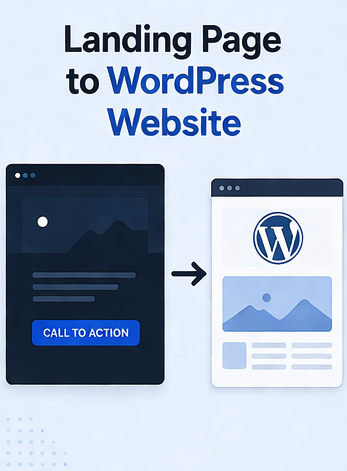
How one landing page becomes a full WordPress website
Read this first — the multiplier. One landing page = a complete design system: header, footer, colors, typography scale, button styles, card styles, spacing rhythm, breakpoints, form styling. HTMLtoWP turns that single page into a real WordPress theme — and WordPress automatically applies that design to every other page type (Pages, Posts, archives, search, 404). You design once; you don't redesign for nine more pages. The Landing Page to WordPress Website conversion is the design step; you add real content (About, Services, Contact, Blog) through WP admin afterwards.
What WordPress generates automatically from your one design
Once your landing page is converted into a WordPress theme, every page type uses your design DNA. You don't design any of these:
- Pages (about, services, contact, privacy, terms, anything you add) — all use
page.php, generated from your landing page's content area styling. - Blog posts — single posts use
single.phpwith your typography, headers, color palette. Add content via the WP editor; the design just appears. - Blog index / archive listings — category pages, tag pages, date archives, the main blog page — all use
archive.php, styled with your design. - Search results — pick up your card / list styling automatically.
- 404 page — even error pages stay on-brand.
- Header and footer — repeat on every page automatically. Change them once, change them everywhere.
- Navigation menus — your hardcoded landing-page menu becomes a dynamic WordPress menu. Add or remove items from Appearance → Menus without touching code.
Same look, every page. That's the multiplier.
How to turn a landing page into a WordPress website the easy way
Convert it into a WordPress theme
Upload to HTMLtoWP. The conversion engine analyzes your single page and generates the entire WordPress theme structure — header.php, footer.php, page.php, single.php, archive.php, search.php, 404.php, sidebar.php, and a functions.php with proper enqueues, menus, and sidebars registered.
Each generated template uses styling from your landing page. The blog post layout uses your typography. The page layout uses your section spacing. The search results use your card styling.
Full step-by-step: How to convert HTML/CSS to a WordPress theme.
Add the rest of your pages in WordPress admin
Install the theme. Now create your real pages from the WP dashboard:
- Pages → Add New for each: About, Services, Pricing, Contact, Privacy, Terms, Careers, anything else.
- Posts → Add New for blog content, news, or any time-ordered content.
- Appearance → Menus to wire up navigation — link to the new pages.
- Appearance → Widgets to populate sidebars and footer columns.
Every page you create automatically inherits your landing page's design. Same fonts, same colors, same buttons, same spacing rhythm. You write content; you don't redesign.
Tips for landing pages that scale into a full WordPress website
If you're still designing the landing page (or you have time to refine it before conversion), a few small additions make the resulting full WordPress website significantly stronger:
- Robust typography styles. Style not just H1/H2 — also H3/H4/H5/H6, blockquotes, ordered and unordered lists, inline code. Blog posts and content-heavy pages need all of these.
- Form styling. Even if your landing page only has an email signup, add CSS for full forms (text inputs, textareas, selects, checkboxes, error states). Your contact page will need it.
- Card / feature box pattern. The card style you used for "features" or "testimonials" will be reused for blog post listings. Make sure it's responsive.
- A widget-area-friendly section. Plan a sidebar or footer columns area in your design — even if your landing page doesn't show one. Adding it later is harder than designing it in.
- Empty / loading / error states. Style "no results found", "loading", and similar — search results pages will use them.
None of these are blockers. The conversion still works without them. They just mean fewer chat refinements after install.
One design in, a full multi-page WordPress site out.
Turn your landing page into a WordPress website.
Upload your landing page HTML, get a WordPress theme that works for every page you'll ever add.
Try HTMLtoWP →